If you have read my previous post on Power Platform Wave 1 2022, Dynamics 365 is again no different. Tons of new features which left me with a very hard task to select a top 10. I had to add few honourable mentions at the end for Knoledgement Management as I know the features will come in handy by many.
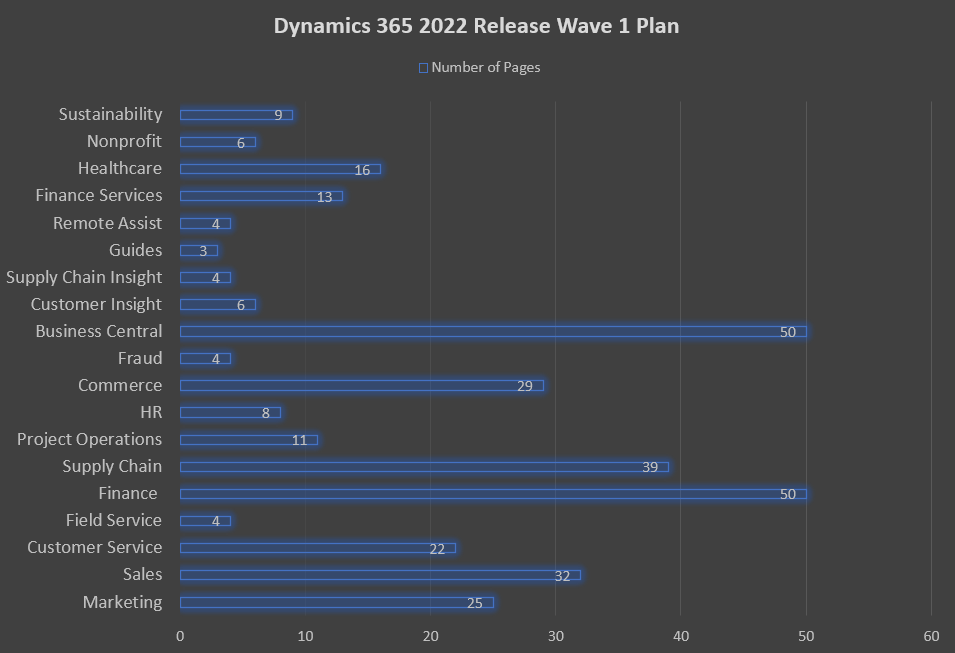
First the number of pages per “topic” graph.
Then the top 10…
Marketing
- Trigger journeys or Power Automate Flows from a journey
As per the title you can now trigger journeys or Power Automate Flows from journeys. Can come in handy when build smaller journeys that complement each other.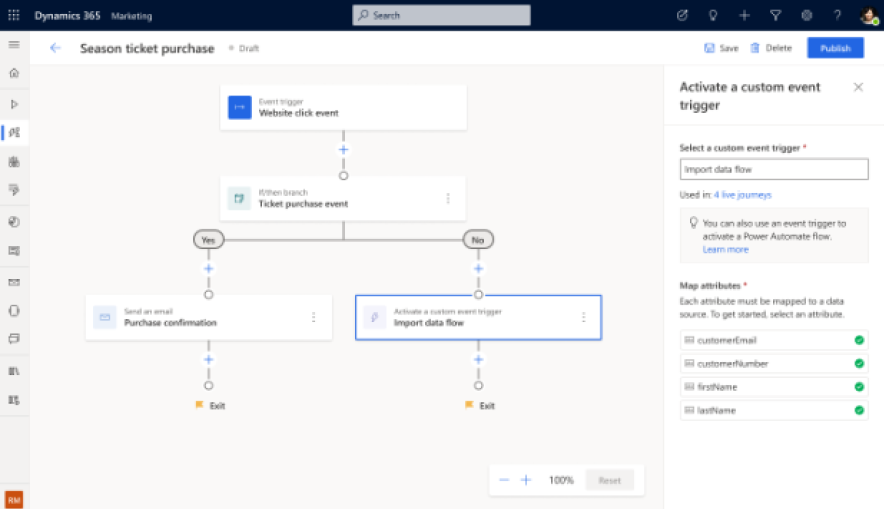
- Unified view of custom activities
Provides an easy to filter list of activities including real-time and outbound marketing activities.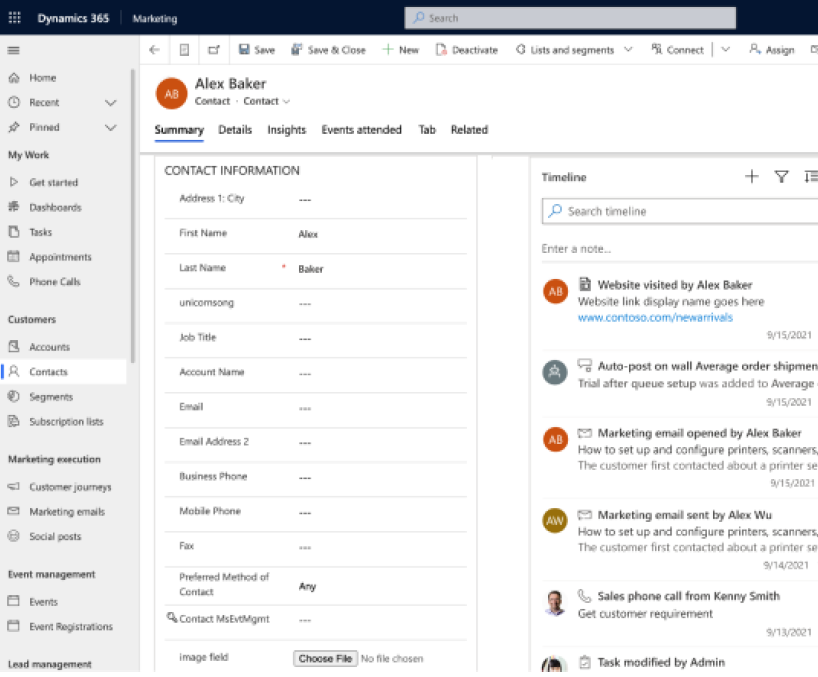
- Built-in teams chat for collaboration x2 (for sales and customer service
The chat bot experience is now embedded within Dynamics 365 minimising the number of clicks required to reach the bot and providing an contextual experience. Teams chat integration also extends to colleagues chat.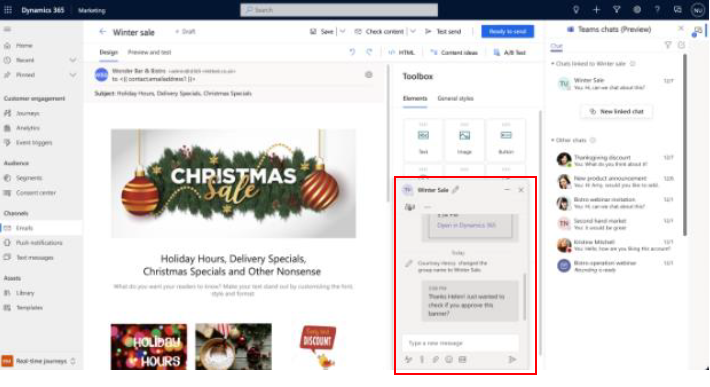
- Enhanced reusable email content fragments
Rich content fragments include buttons, personalisation etc. They can now be easily viewed, inserted, and saved from email messages.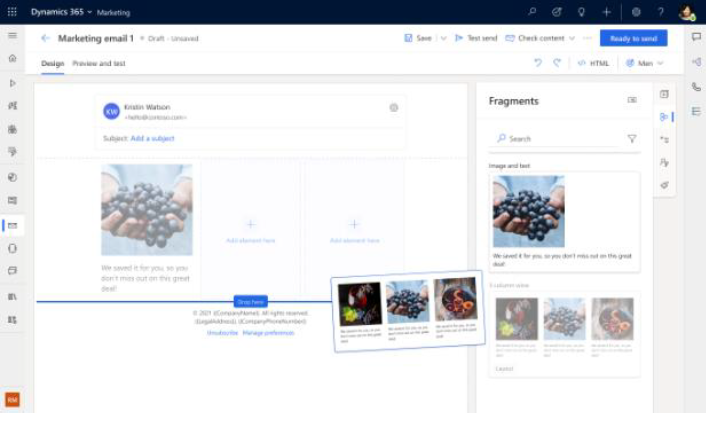
- Condition based triggers
Newly introduced flexibility to add a condition before triggering a journey. This will provide more control over who qualifies for that journey.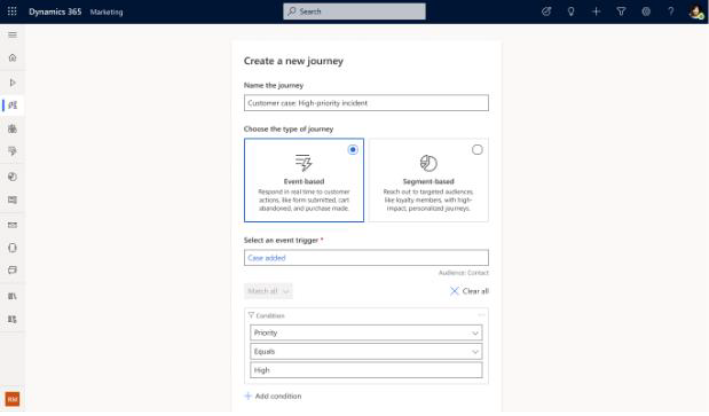
- Remimagined and easy to use segmentation builder
Major enhancements for the segment builder that enables users to create them based on attributes from both contacts and leads, easy find the attributes requires, and estimate the member numbers.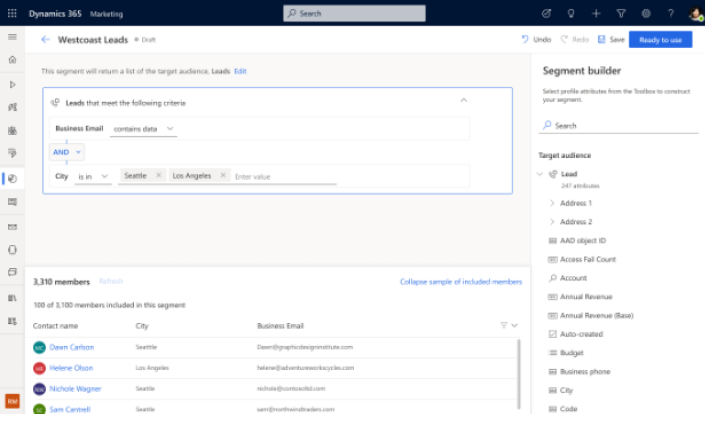
Sales - Conversation insight
One of the coolest features in this release. A recorded conversation visualisation with search and analytics capabilities. You can now visualise how long you or you customers were talking for and their sentiment. You can even search for a keywork and play the recording from that point on.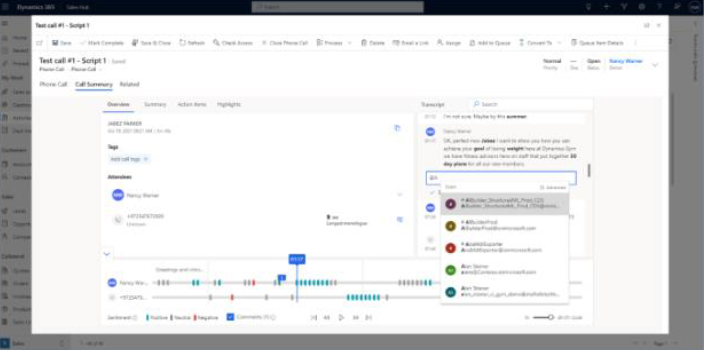
- Log information using mobile camera
Business card recognition and even digitise hand writing into Dynamics by scanning text with your mobile camera.
Customer Service - Enhanced email template x2
This is a double feature. The first deals with improvements to the advanced digital content designer with advanced layouts and easy styling. The second is the capability to search and view your templates from the new template gallery based on title, subject, and content. - Recalculate SLA based on attributes
Swifty new feature to recalculate the SLA based on attribute updates. E.g. recalculate based on change of application type, department ownership, etc. - Enhanced SLAs UX (bonus)
So really smart features are coming out in relation to SLAs such as custom wording to hitting or missing SLAs; Import/Export of holiday schedule; and Defining success conditions for meeting an SLA.
Honourable Knowledge Management Mentions
- Relevant search knowledge management in Portals
The Portal relevant search capability now includes searching through knowledge base articles for a seamless search experience. - Analytics for KM search
Long awaited advanced and detailed analytics for knowledge management including drilling down to each article and even drilling down to the key search phrases commonly used. - KM side pane
Improved side pane search control user experience with actions to link, unlink , send email, copy URL etc.
Hope you agree with my top 10. If you have other features you likes, feel free to leave a comment.
Rami Mounla