After taking a break from writing the release‑note summaries, I’m back for 2026. I’m glad I picked it up again, this wave brings some exciting new features.
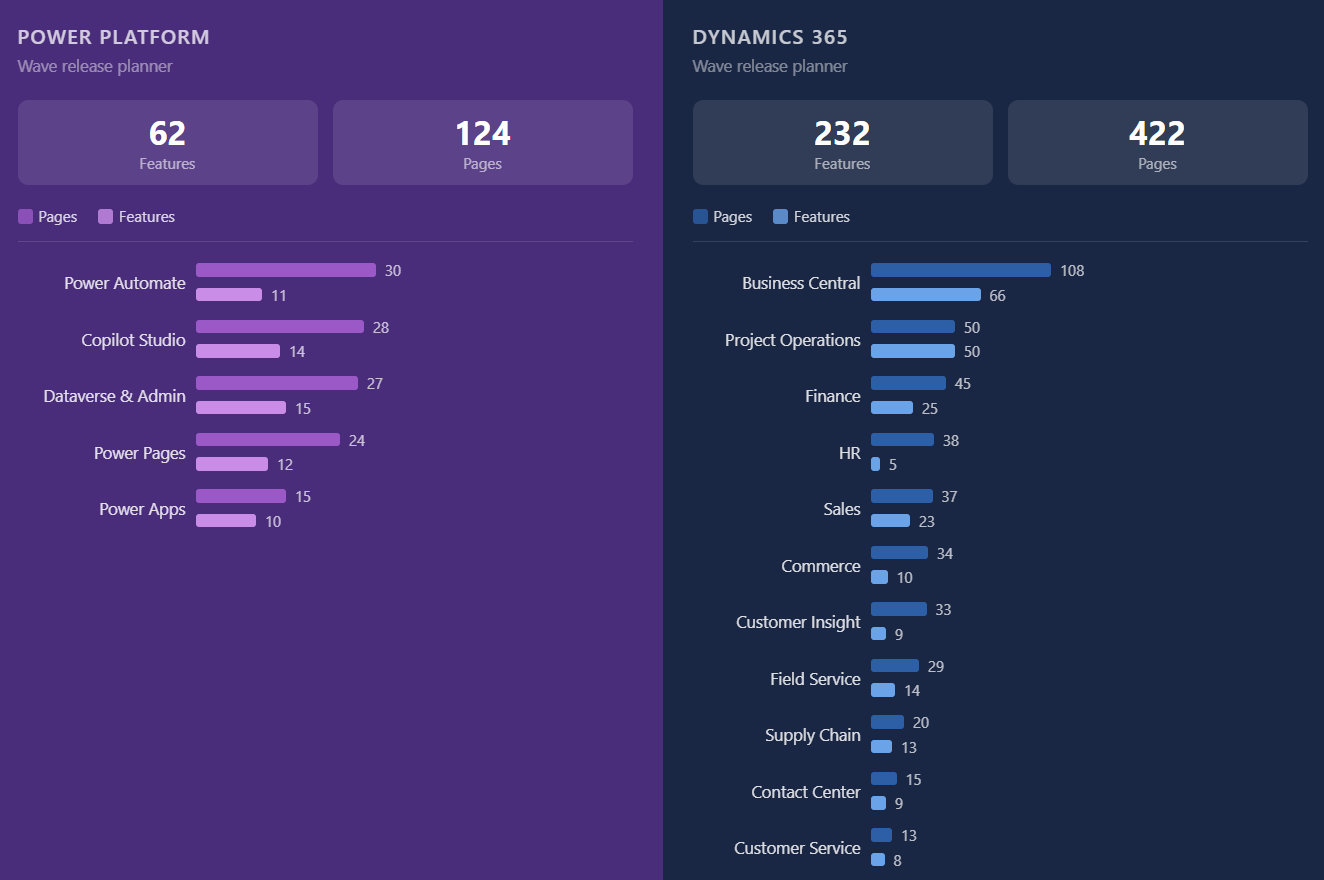
As usual, here is a quick analysis of the different sections of the release wave. Dataverse takes the lead in number of features, while Power Apps and Power Automate have the lowest number of released features. Is low‑code (as we know it) dead?
The Administration team has been busy, delivering several new and genuinely exciting features that earned a couple of spots in my top 10.
1. Deploy from Git with pipelines in Power Platform
In my pro‑dev, geeky opinion, this feature tops the list by a mile.
Ever since Dataverse Native Git integration was released, the number‑one request from the community has been the ability to deploy directly from the data source, straight from YAML fragments, without having to sync back to a dev environment or wrangle solution ZIP files. That day has finally come 😁
Public preview is scheduled for April, with no GA date announced yet.
2. GitHub support for source code integration in Power Platform
People are usually divided between using Azure DevOps and GitHub to host their source code. With this feature, you can now choose the repository that suits you best, as the product team has added GitHub integration alongside the already‑established Azure DevOps support.
3. Enforce modern refreshed look in model driven apps
This feature will have a meaningful change‑management impact on organisations still using the old look. Starting April 2026, the new look will be enforced and rolled out to everyone. As stated in the notes, “All users see the modern look with no option to revert.”
4. Use generative pages globally
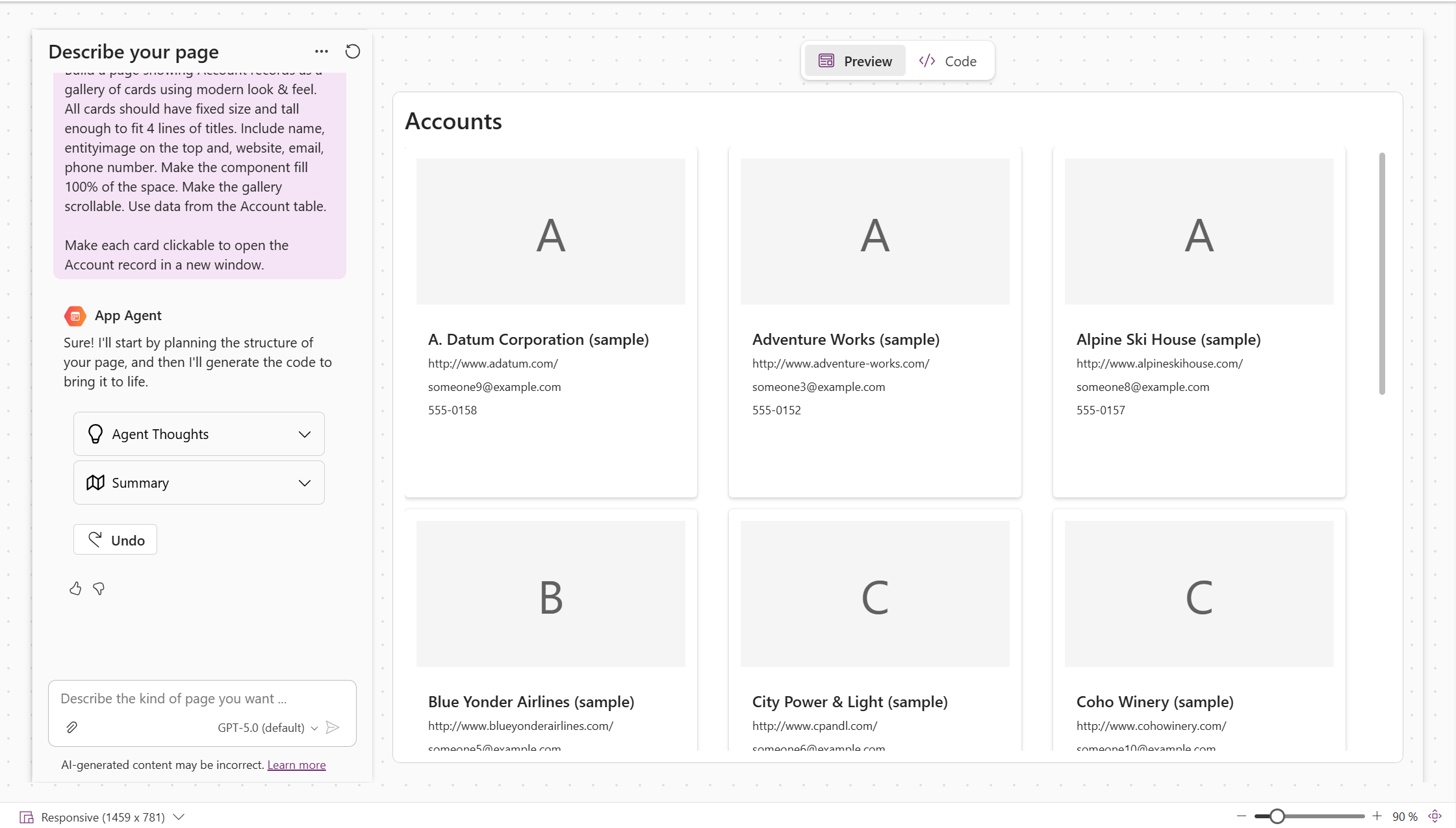
Generative Pages were an awesome addition to the product, allowing you to generate slick, custom pages using a React‑based experience. Until now, they were limited to environments created in the US. Starting in April, they’ll be available across all geos.
5. Unify Power Pages authorization by merging web role with Dataverse security role
In the last wave, Microsoft announced that Power Pages can now use Dataverse security roles for external users. This wave takes it a step further by merging web roles with Dataverse security roles.
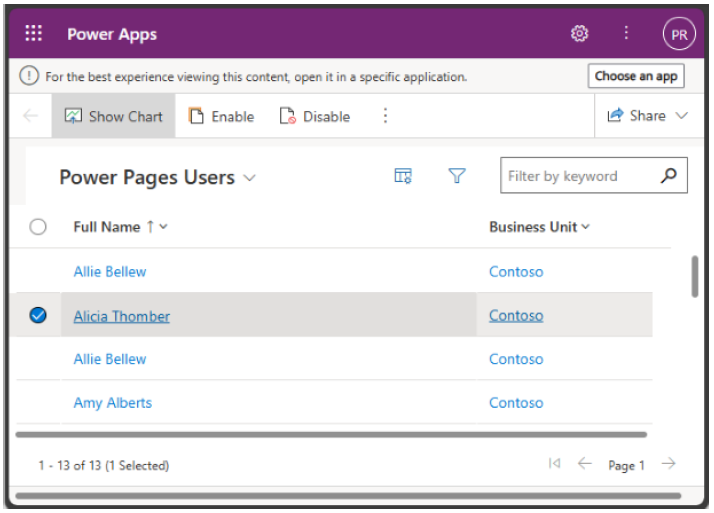
The transition is fully automated and doesn’t require any manual intervention or migration steps. Power Pages users will be mapped to both Contacts and System Users, and existing web roles will be mapped to their equivalent Dataverse security roles.
6. Restore accidentally deleted flows
Haven’t we all accidentally deleted the flow we just spent hours working on?
This new feature allows makers to restore deleted flows directly from the Maker Portal without needing to redeploy solutions or, even worse, perform a full environment restore.
7. Video logs for unattended runs
This feature is specific to Power Automate Desktop. It enables unattended runs to be video recorded and logged so that failures and exceptions can be monitored.
8. Create agents optimized for Microsoft 365 and Microsoft 365 Copilot users
As Microsoft 365 becomes the default agentic assistance platform across Microsoft products, and given how Copilot Studio plays an important role in building low code agents, we can now create agents within Copilot Studio that have the same answer quality and capabilities as those created in Agent Builder, while still benefiting from all the Copilot Studio features such as topics, knowledge sources, tools and more.
9. Evaluate Agents for Microsoft 365 Copilot in Copilot Studio
Agent evaluation is top of mind for all organisations to ensure their AI landscape is fit for purpose and well governed. With this feature, users can now move away from manual, ad hoc testing and adopt enterprise‑grade evaluation for declarative agents.
10. Restore deleted records within a specified timeframe
Introduced in June 2024, this feature is finally going GA. Regardless of how a record was deleted, you can define a recycling bin retention period of up to 30 days, allowing records to be restored if they were removed by mistake.
Hope you enjoy this list. Let me know which feature is your favourite in the comments below.